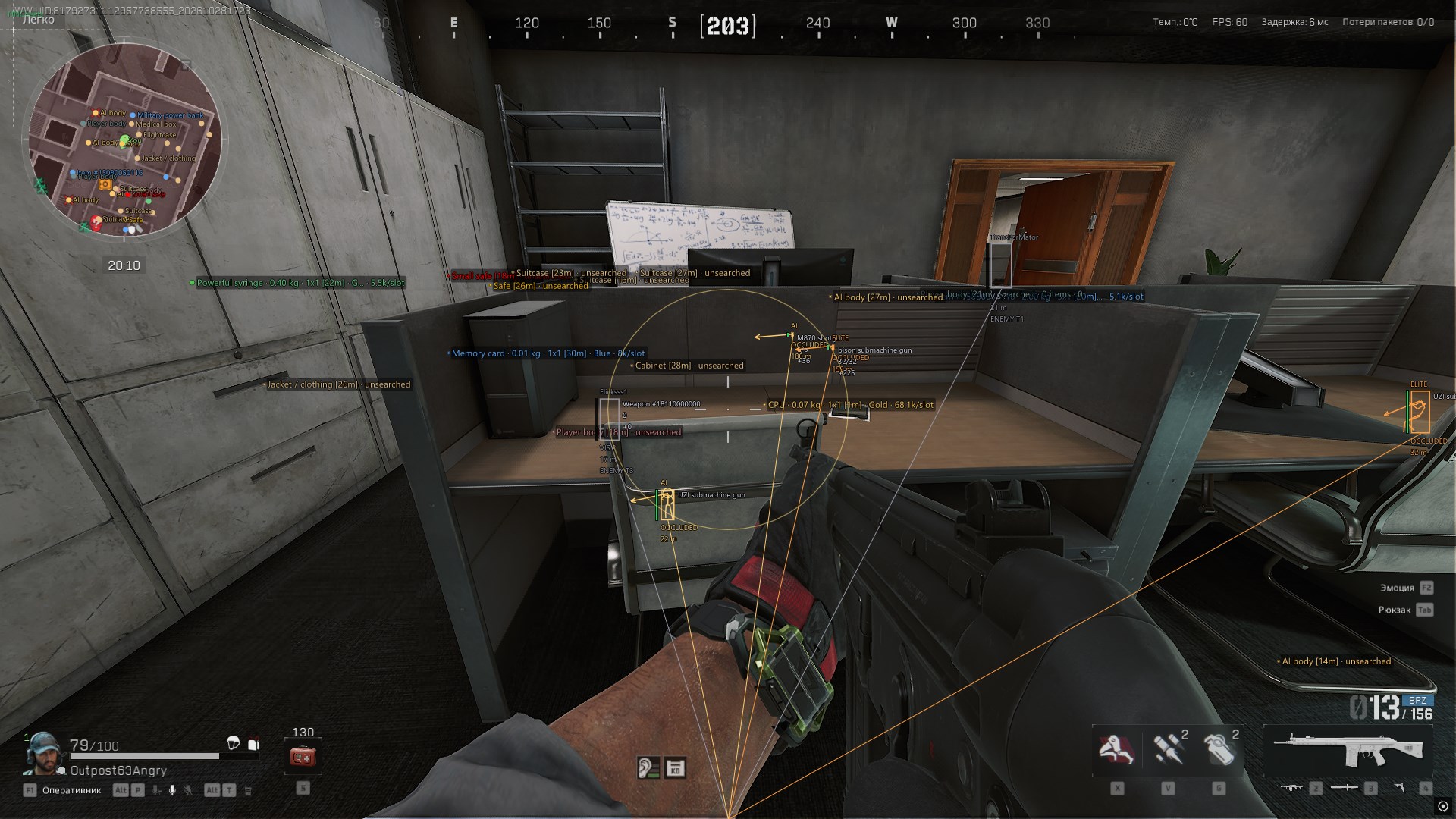
Купить чит NN CHEATS для Delta Force: Hawk Ops
Системные требования
- Поддерживаемая версия игры: Game Launcher
- Поддерживаемый режим игры: Оконный/Безрамочный
- Поддерживаемые ОС Windows: 10&11 x64, версии 1903-25h2. проверить свою сборку можно по инструкции ЗДЕСЬ
- Поддерживаемые анти-читы: Anti-Cheat Expert
- Поддерживаемые процессоры: Intel и AMD
- Дополнительные требования: Формат диска - Gpt, BIOS - UEFI
Описание товара
- Aimbot
- Main
- Enable aim
- Aim point (Head/Chest/Pelvis)
- Aim at a visible body part
- Aim radius, °
- Aim distance, m
- Target priority (Closest to Crosshair/Nearest)
- Enemy players
- AI and bosses
- Stabilize target in always-on mode
- Use capsule if bones unavailable
- Target height adjustment, cm
- Silent Aim
- Silent Aim
- Silent Aim activation (On Key/Always)
- Silent Aim key
- Bullet speed multiplier
- Distance before target, cm
- Vector Aim
- Vector aim
- Vector aim activation (On Key/Always)
- Vector aim key
- Vector aim response, ms (0 = instant)
- Can Run Alongside Silent Aim
- Shared Target and Aim Point Settings
- Visual
- Aim circle
- Target marker
- Aim circle and target color
- Weapon Parameters
- Effect Controls
- Remove recoil
- Remove spread
- Remove camera recoil
- Remove camera sway
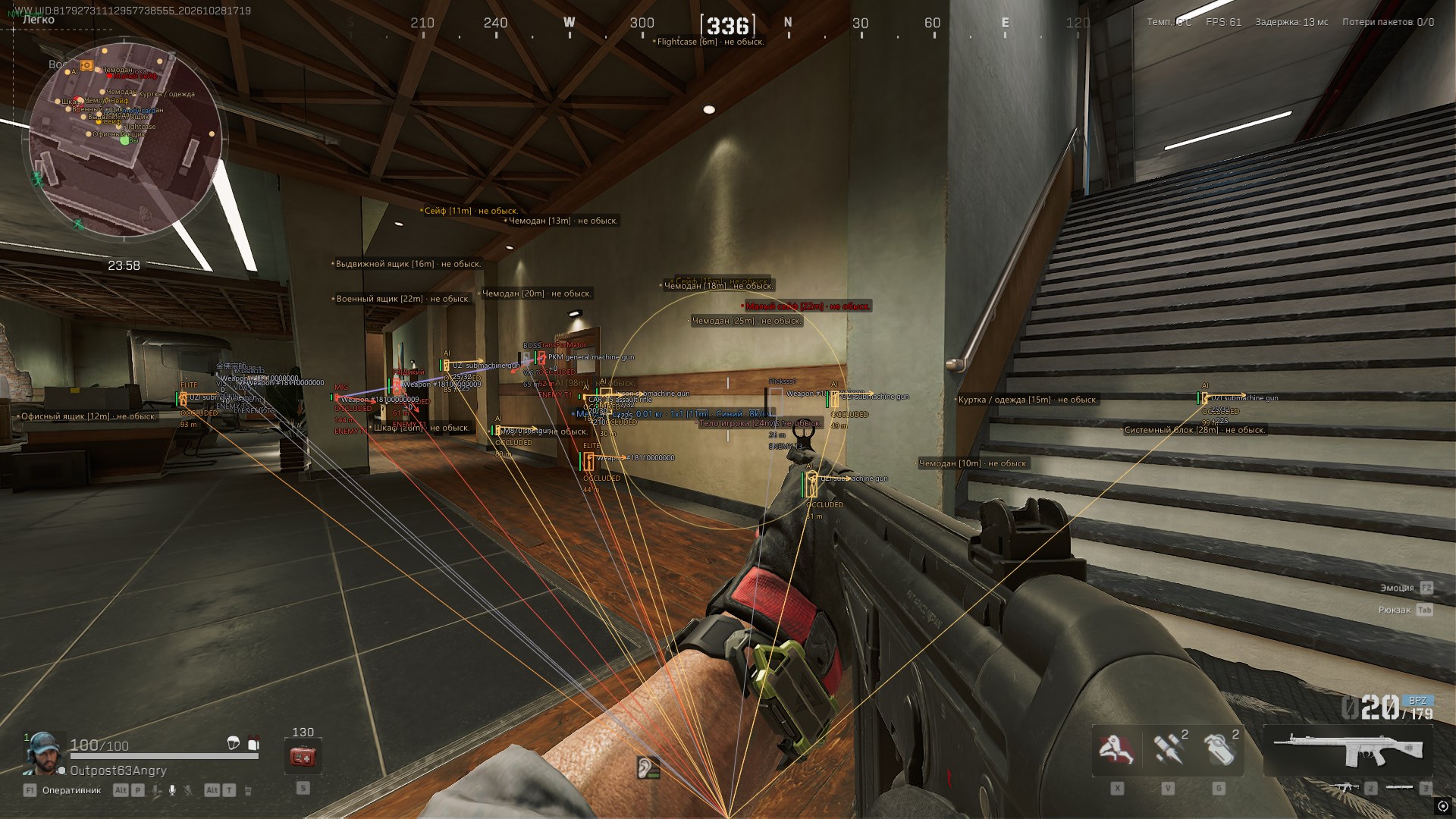
- Visuals (Players and AI)
- Main
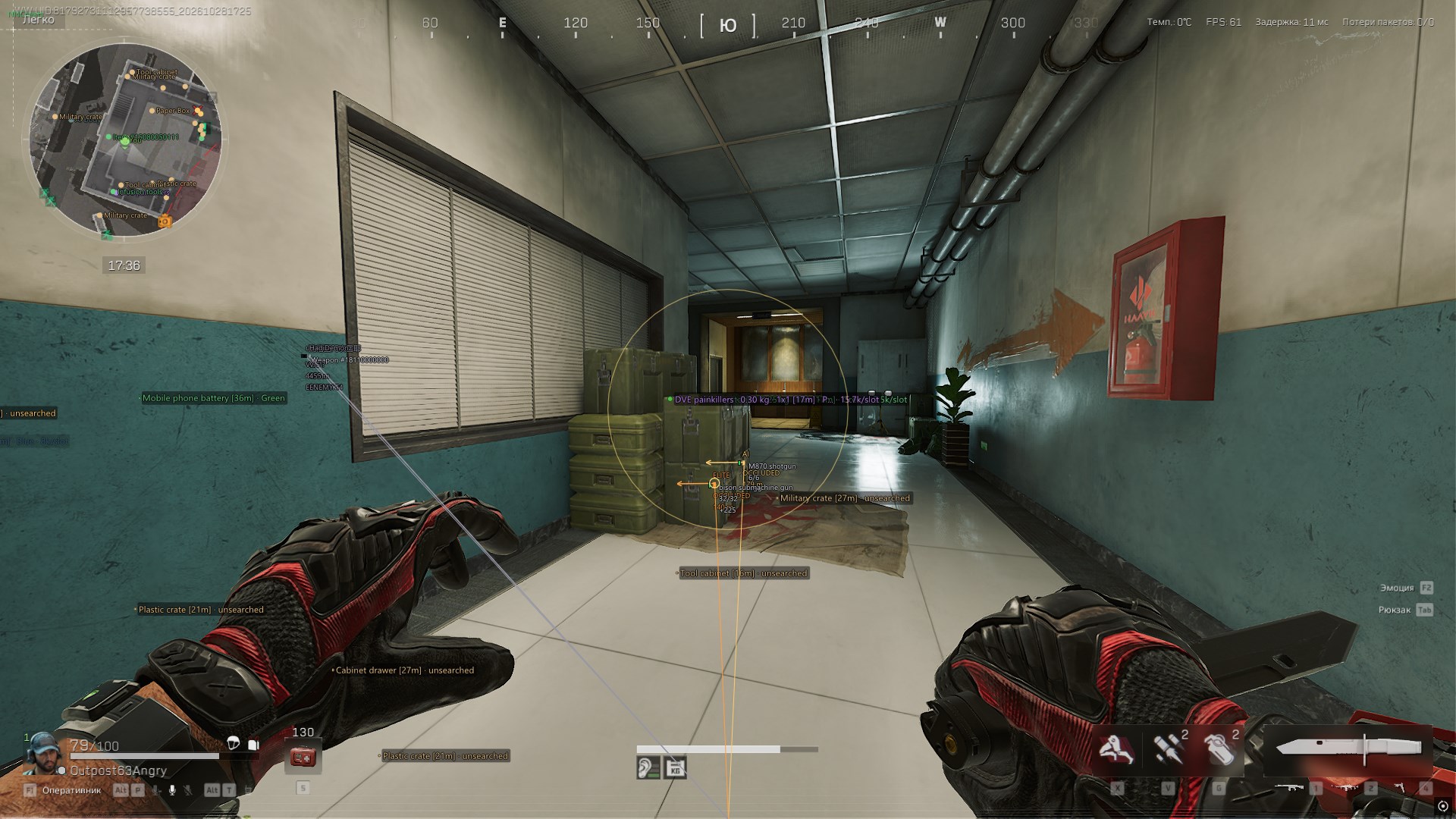
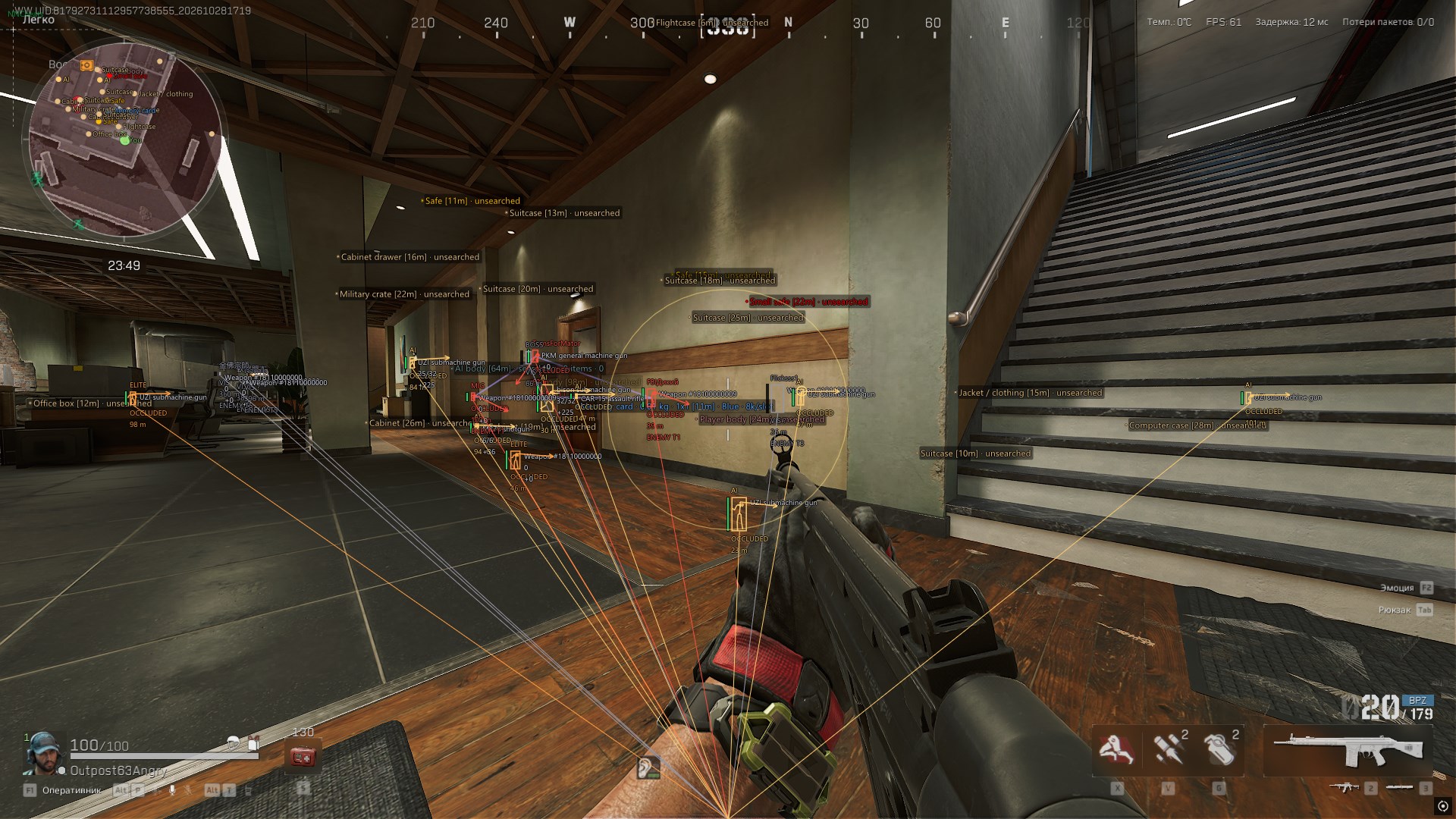
- Enable ESP
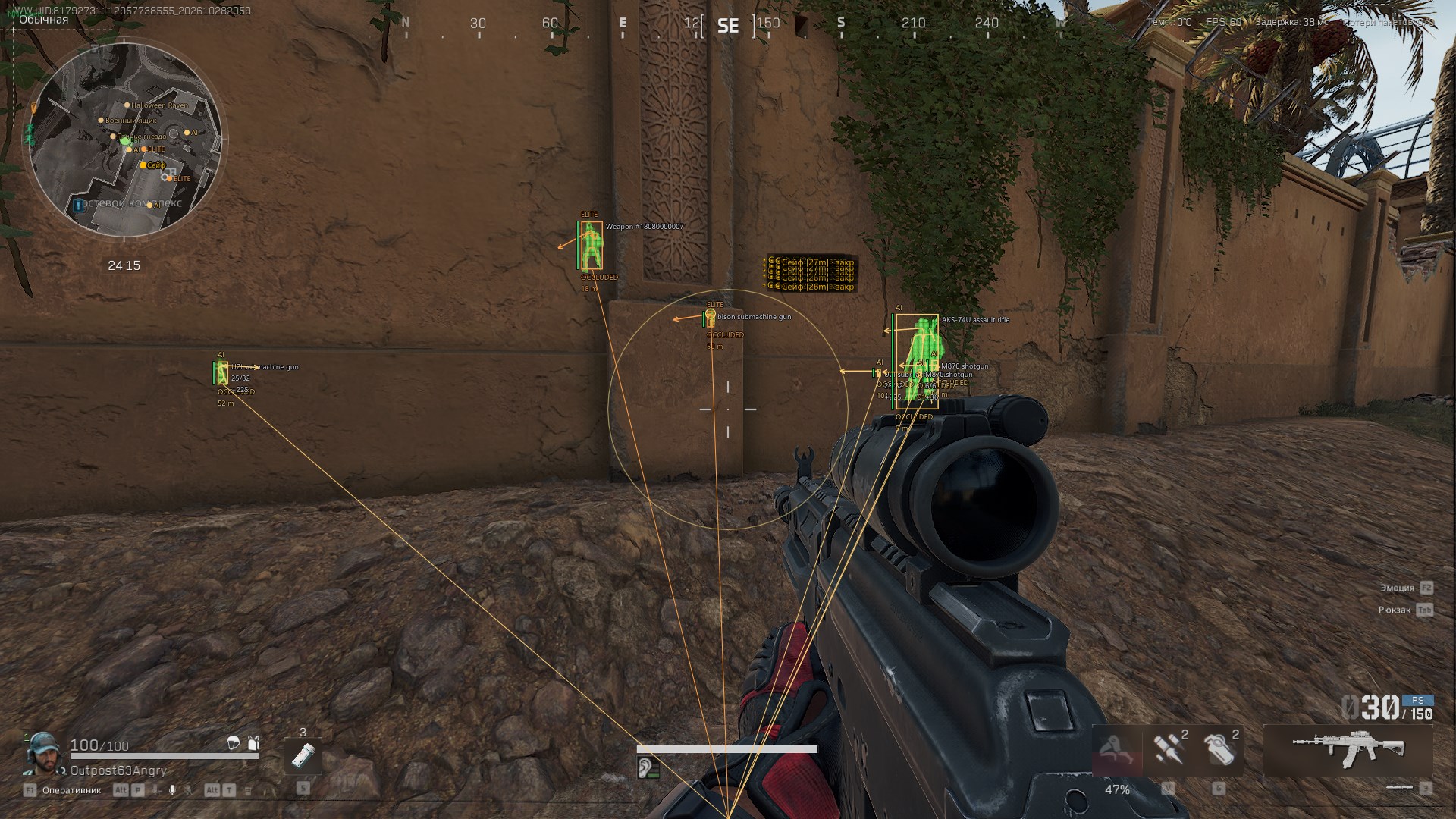
- Boxes
- Skeleton
- Names
- Character type
- Distance
- Snaplines
- Player distance, m
- AI distance, m
- Character Types
- Regular AI
- Elite AI
- Bosses
- Creatures
- NPCs
- Show dead players
- Teams
- Team labels
- Show teammates
- Team colors
- Connect team members
- Team link thickness
- Health
- Health bar
- Health text
- Health bar width
- Show downed characters
- Downed health
- Equipment
- Weapon
- Magazine ammo
- Reserve ammo
- Ammo type
- Vest and durability
- Helmet and durability
- Reloading
- Label Placement
- Label format (Compact/One Detail per Line)
- Type, team and distance (Top/Bottom/Left/Right)
- Weapon and ammunition (Top/Bottom/Left/Right)
- Vest and helmet (Top/Bottom/Left/Right)
- Line spacing, px
- Appearance
- Smooth movement
- Smooth skeleton
- Text size
- Skeleton thickness
- Box style (Full/Corners)
- Box thickness
- Box fill opacity
- Line origin (Bottom/Center/Top)
- Line thickness
- Look direction
- Look arrow length
- Look arrow thickness
- Visibility
- Visibility check
- Hide occluded characters
- Visibility label
- Separate Color for Visible Skeleton Segments
- Aim at an Available Visible Body Part
- Game Effects
- Character Highlight
- Persistent character highlight
- Highlight teammates
- Highlight effect
- Highlight Presets (33)
- Motion sensor
- Recon arrow
- Medical gun
- Medical gun hit
- Support
- Downed enemy lock
- Breakthrough defender
- Reviving teammate
- Team medic
- Target locking
- Target locked
- Locked target fire
- Marker only
- Spectator: teammate
- Spectator: enemy
- Spectator: AI
- Spectator: free camera
- Spectator: attacker
- Spectator / replay
- Replay: self
- Replay: teammate
- Spectator: defender
- Spider ability
- Butterfly passive ability
- Overload
- Destroyed remote vehicle
- Counter-fire radar
- Sonar
- Remote vehicle detection
- High-value vehicle
- Flare detector
- Special loot
- Replay: friend
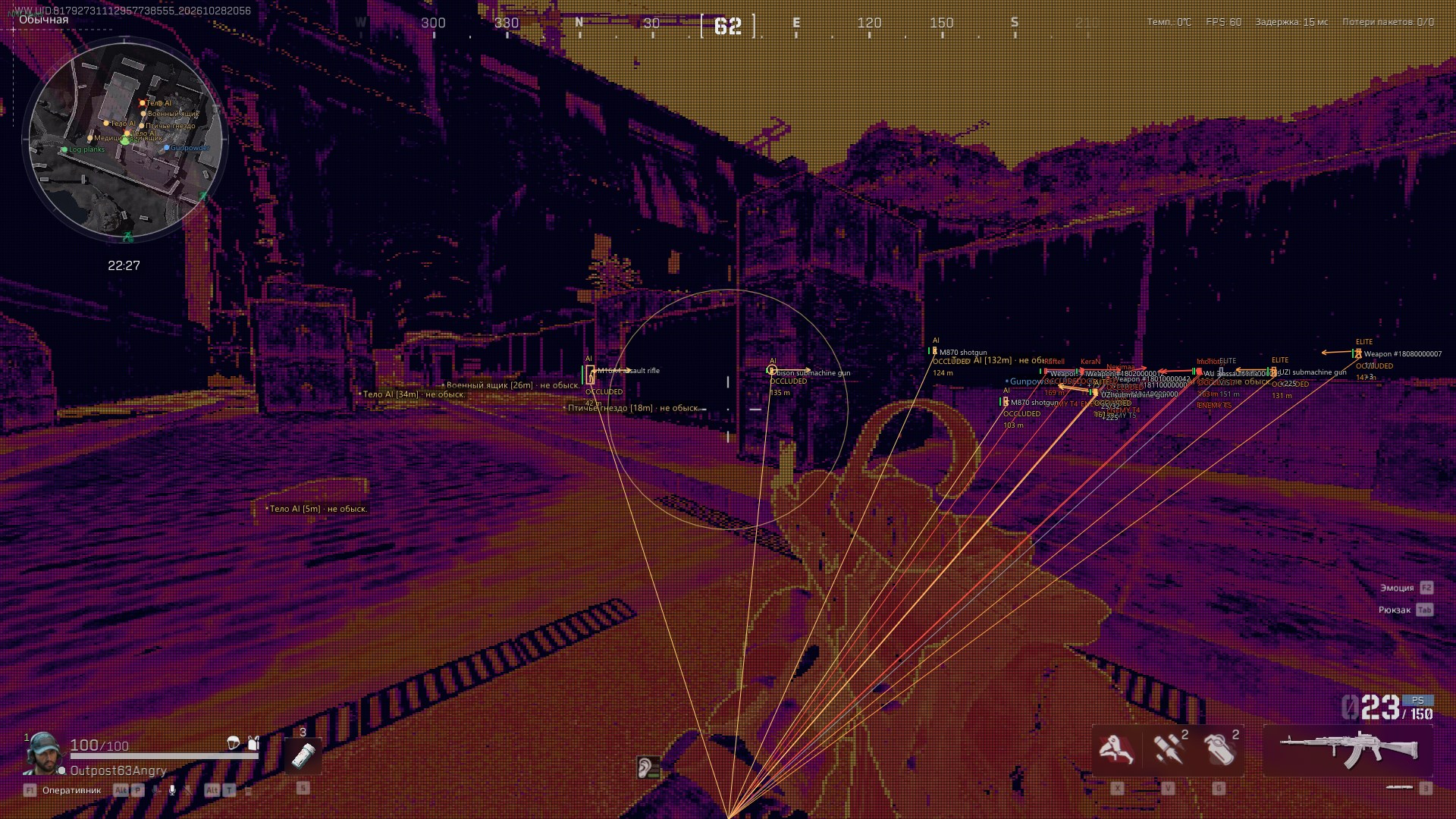
- Thermal Vision
- Persistent thermal vision
- Thermal effect
- Thermal Modes
- Colored
- Monochrome
- Vehicle thermal
- Vehicle: EMP
- Controls and Status
- Independent Highlight and Thermal Toggles
- Highlighted Character Count
- Effect Application Status
- Some Presets Depend on the Game Mode and Object Type
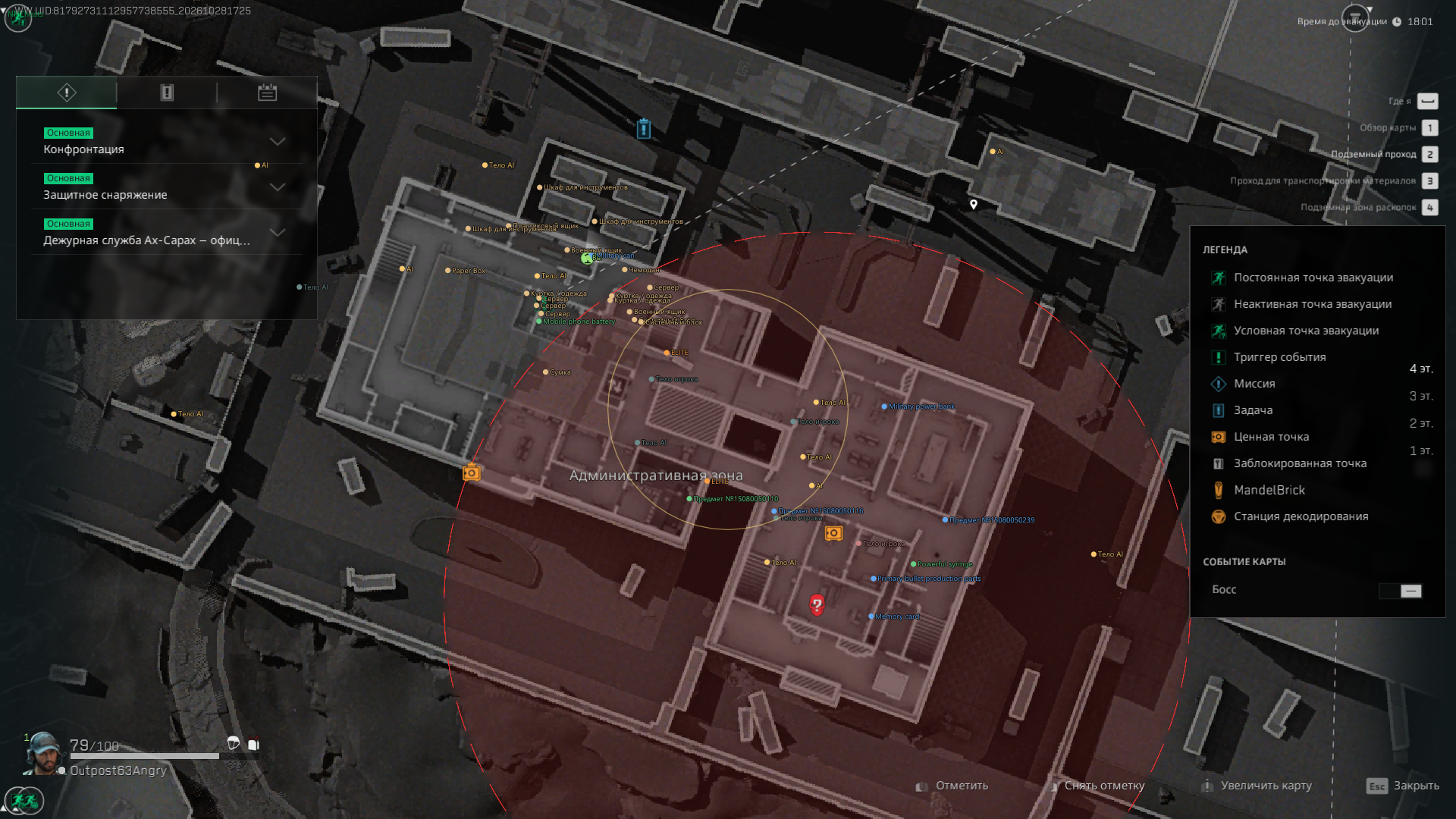
- Radar and Maps
- Main
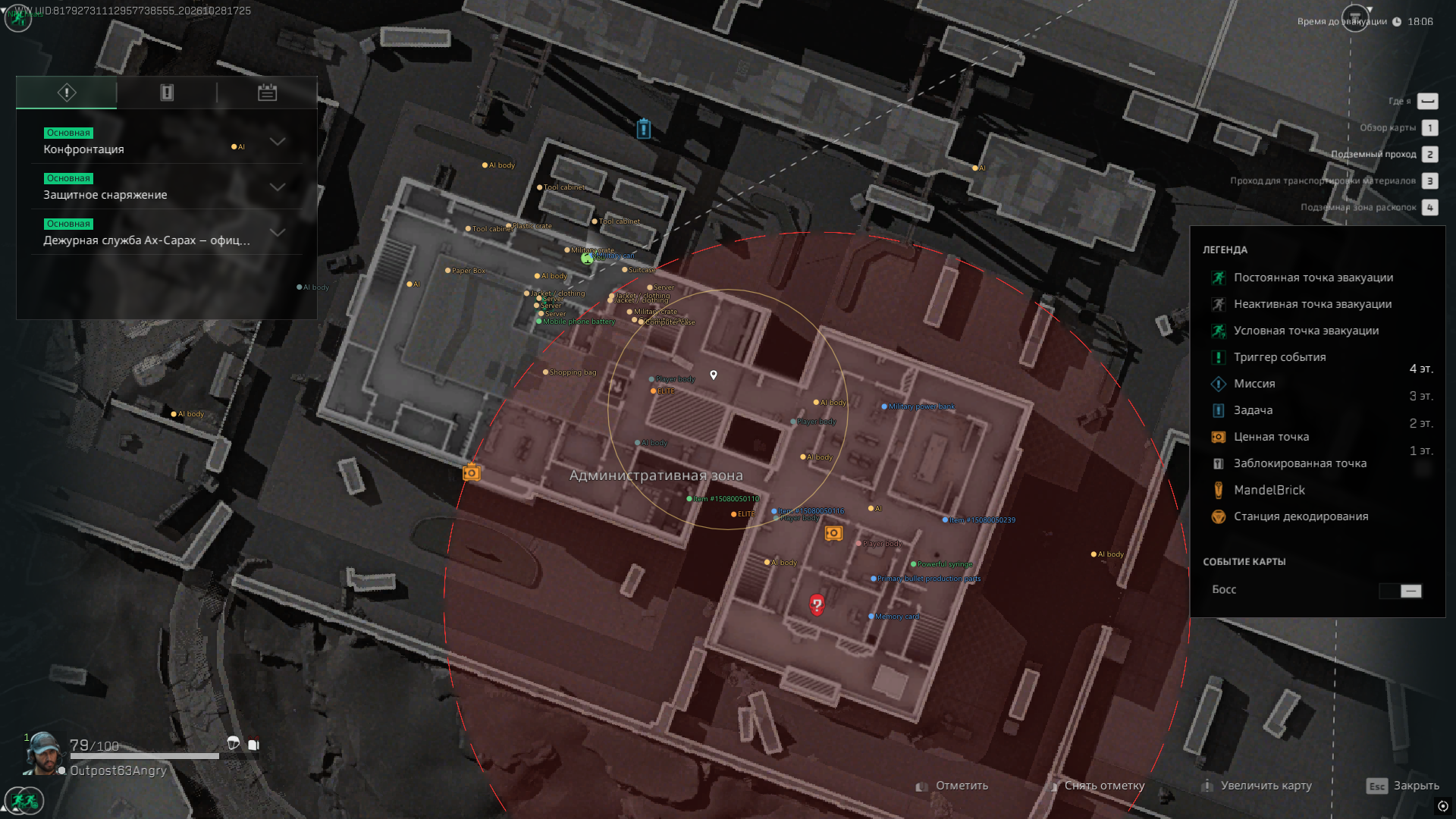
- Enable radar
- Radar coordinates (Around Player/In-game Maps)
- Minimap markers
- Radar labels
- Large Map Markers Follow Zoom and Pan
- Minimap Markers Follow Scale and Rotation
- Marker and Label Scale (0.5–3×, Shared by Both Maps)
- Objects
- Players and bots
- Loot on radar
- Doors on radar
- Team Connections on the Map
- Local Radar
- Radar size
- Local radar range, m
- Locked Doors
- Doors in world view
- Door marker distance, m
- Required Key Name
- Visuals (Loot)
- Main
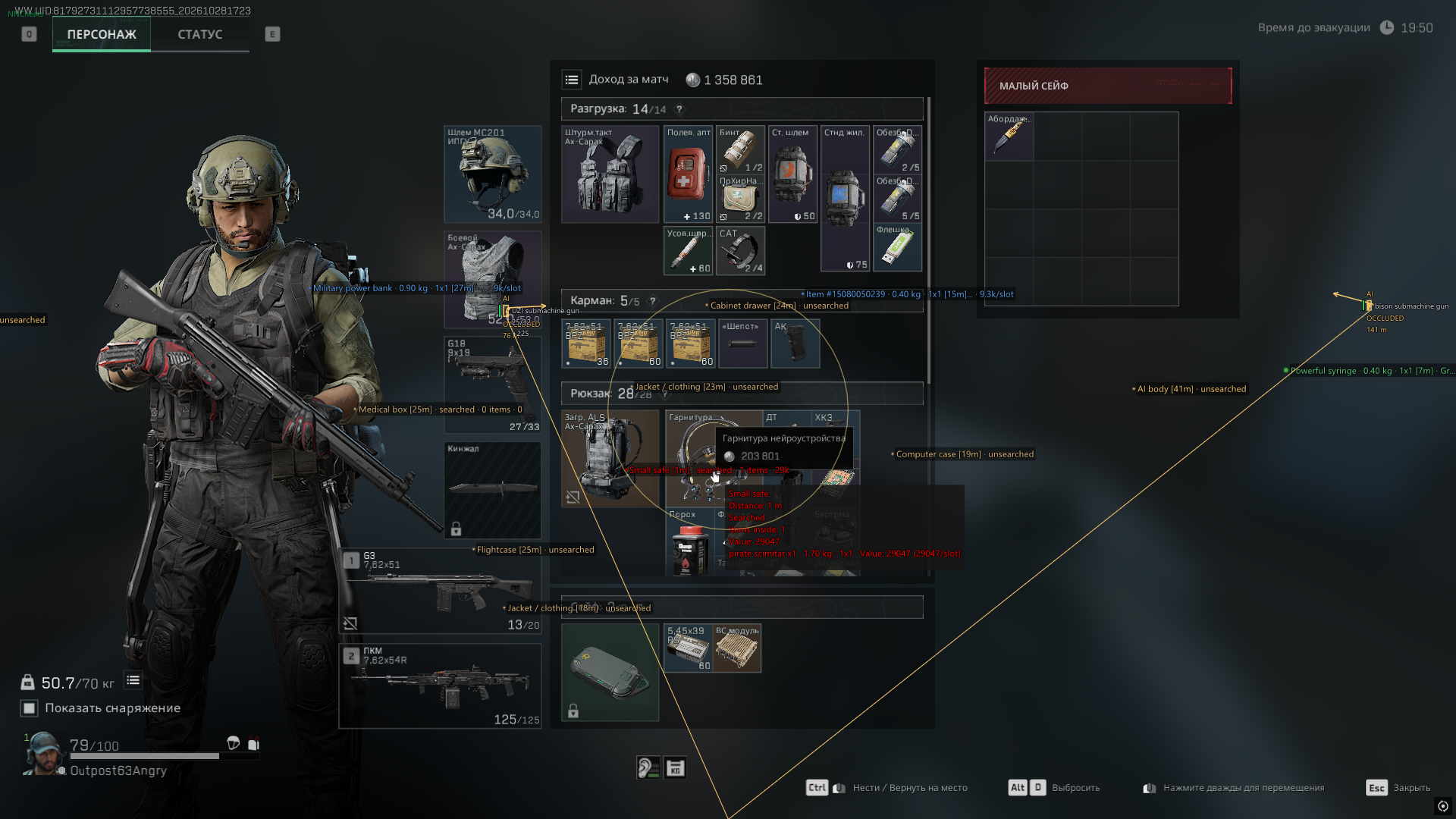
- Enable loot ESP
- Loot style (Classic/Panels)
- Items
- Crates and containers
- Bodies and backpacks
- Hide empty
- Hide searched
- Static containers
- Airdrops
- Hide opened containers
- Size and Distance
- Item distance, m
- Container distance, m (0 = items)
- Corpse distance (0 = global)
- Text size, px
- Marker size, px
- Maximum labels
- Label priority (Nearest/Rarity)
- Item Rarity
- White
- Green
- Blue
- Purple
- Gold
- Red
- Unknown rarity
- Label Content
- Name
- Distance
- Rarity
- Quantity
- Body and container search state
- Contents count
- Show value
- Item durability
- Item weight
- Inventory dimensions
- Classic Style
- Maximum label width, px
- Compact Single-line Label
- Details on Hover
- Panels Style
- Avoid overlapping labels
- Loot world boxes
- Contents in label
- Items in label
- Background opacity
- Appearance
- Position marker
- Smooth markers
- Text outline
- Text shadow
- Label background
- Condition dot
- Loot opacity
- Container and Body Contents
- Inventory circle
- Tooltip max items
- Circle radius
- Circle visibility (Always/On Hover)
- Hide attachments in contents
- Item Categories
- Main Categories
- Weapons
- Ammunition
- Armor
- Medical and repairs
- Valuables and materials
- Keys
- Equipment
- Other items
- Weapon and Equipment Types
- Rifles
- SMGs
- Pistols
- Snipers
- Shotguns
- LMGs
- Attachments
- Magazines
- Backpacks
- Rigs
- Marksman rifles
- Category Settings
- Item color source (By Rarity/By Category)
- Category filter (Hide Selected/Only Selected)
- Select Categories for Additional Filtering
- Separate Distance for Each Category
- Separate Color for Each Category
- Reset Category Distance to Global
- Containers
- Container Types
- Jacket / clothing
- Toolbox
- Tool cabinet
- Medical box
- Computer case
- Server
- Filing cabinet
- Cabinet drawer
- Small safe
- Safe
- Military crate
- Weapon crate
- Ammunition box
- Armor crate
- Supply crate
- Plastic crate
- Airdrop
- Cargo container
- Equipment bag
- Shopping bag
- Suitcase
- Dumpster
- Office box
- Bird nest
- Refrigerator
- Concrete mixer
- Vending machine
- Item pile
- Shell
- Toilet
- Lottery box
- Well lid
- Cabinet
- Other container
- Display Settings
- Colors by container type
- Find Container Type
- Enable All Types
- Disable All Types
- Separate Color for Each Type
- Separate Distance for Each Type
- Reset Type Distance to Global
- Item Finder and Value
- Search
- Item finder
- Name or ID, comma separated
- Search mode (Highlight/Only Matches)
- Search radius, m
- Found items on radar
- Local radar size, px
- Selected Item List
- Clear Selected
- Wishlist
- Hide an Individual Item
- Search Result Pages
- Item Rules
- Add a Rule by Item ID
- Enable Rule
- Hide Item
- Notify on Item
- Custom or Inherited Color
- Value per Item
- Inventory Slot Count
- Note
- Delete Rule
- Loot Value
- Price source (Catalog Price/Item Rule Values/In-game Guide Price)
- Price per slot
- Hide unknown values
- Minimum item value
- Valuable threshold
- Highly valuable threshold
- Minimum corpse value
- Minimum container value
- Promote medical items past value filters
- Promote weapons past value filters
- Promote backpacks past value filters
- Notifications
- Found item notifications
- Notify on wishlist
- Notify on rare items
- Notification rarity
- Notification cooldown, s
- Notify for item rules
- Tracers and Diagnostics
- Tracers
- Own projectile trajectories
- Impact markers
- Lifetime, ms
- Tracer thickness
- Maximum tracers
- Tracer color
- Shot Probes
- Log shot probes
- Capture native shot stages
- Colors
- Characters and ESP
- Enemy players
- Allies
- Regular AI
- Elite AI
- Bosses
- Creatures
- NPCs
- Team links
- Dead players
- Health
- Low health
- Health text
- Visible enemy
- Downed character
- Doors requiring keys
- Loot and Containers
- Loot: white
- Loot: green
- Loot: blue
- Loot: purple
- Loot: gold
- Loot: red
- Containers and bodies
- Player bodies / unknown type
- AI bodies
- Opened containers
- Static containers
- Airdrops
- Wishlist
- Search matches
- Inventory circle
- Label background
- Valuable items
- Highly valuable items
- Items of unknown rarity
- System
- Hotkeys
- Toggle menu
- Toggle ESP
- Toggle loot key
- Exit application
- Screen Capture
- Hide overlay and menu from capture (OBS)
- Interface
- Russian and English Languages
- Settings Search (Ctrl+F)
- Jump to a Matching Setting
- Remaining Subscription Time
- ESP and Loot Preview
- NNCheats Label in the Top-left Corner
- Menu Hidden on Startup
- Profiles
- Save
- Profile Name
- Save
- Load
- Profile List
- Load
- Delete
- Refresh
- Reset
- Reset Everything
Оставить отзыв можно после покупки, на странице получения товара.